
How a School Utility App Became a Full Workflow System
24 May 2026
EducationAIAutomationMAUIWorkflow DesignProduct Engineering
How a personal school utility app grew into a multi-school workflow system with admin-managed parameters, scheduled reports, voice workflows, diagnostics, and secure remote printing.
How a School Utility App Became a Full Workflow System
The first version of this project was personal: I built a small school utility app for my mother to reduce the stress of salary bills, leave summaries, official letters, and printing.
That story still matters, but the deeper lesson became clearer over time. The real problem was not one salary bill or one report. It was the same monthly work being repeated again and again, with small parameter changes each time: month, scheme, DA, deductions, bill groups, report format, school-specific values, print settings, and forwarding letters.
For a comfortable technical user, setting those values in a mobile app may feel normal. For many senior teachers, it is unnecessary friction. They do not want to configure every parameter every month. They want the school setup to be correct, the monthly numbers to be managed by someone responsible, and the final report to print without alignment surprises.
That changed the product direction. The app became less about "one person using one mobile screen" and more about a workflow system where administrators manage setup, teachers use simple actions, reports can run on schedule, and printing works predictably.
I wrote about the first version here: How I built a school utility app for my mother.
Over time, the app grew into a multi-school workflow system with payroll setup, employee records, CL registers, AI-assisted letters, OCR, voice workflows, scheduled report generation, diagnostics, remote printing, and school-specific configuration.
The first lesson: features are not workflows
At first, the feature sounded simple:
Generate a salary bill.
But the real workflow around it was much larger:
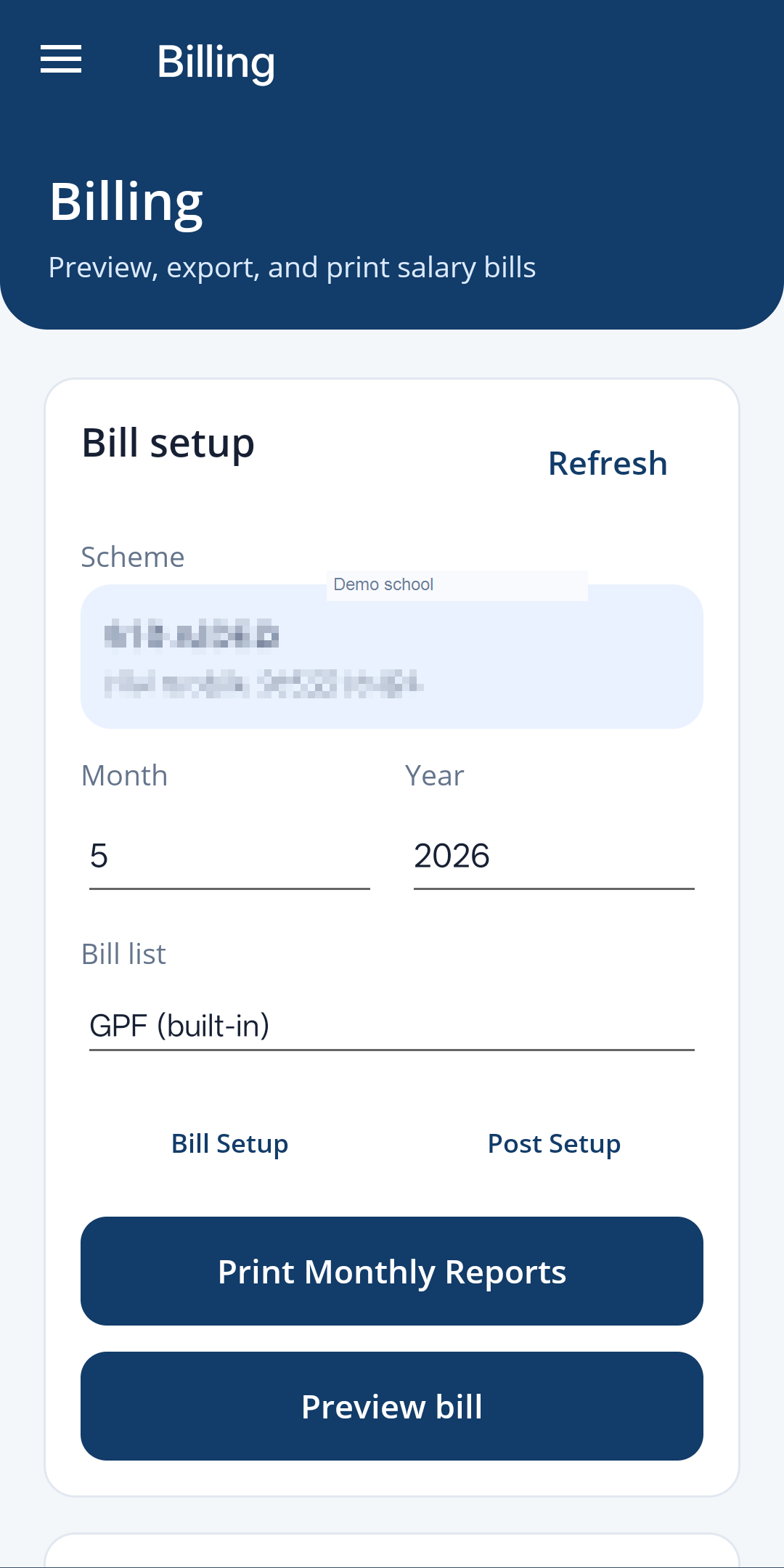
- choose the month and scheme
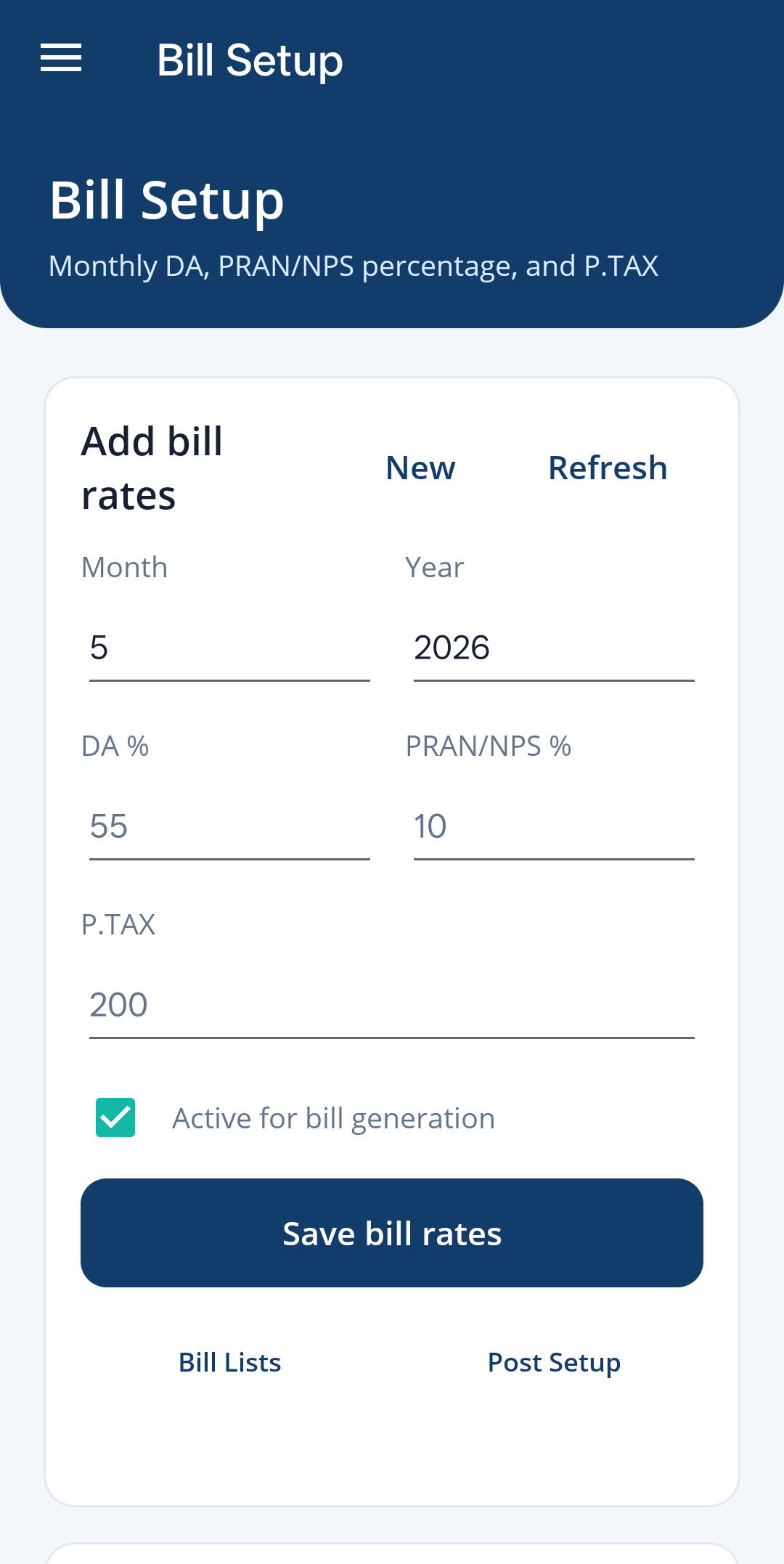
- update DA and other changing payroll values
- keep employee records correct
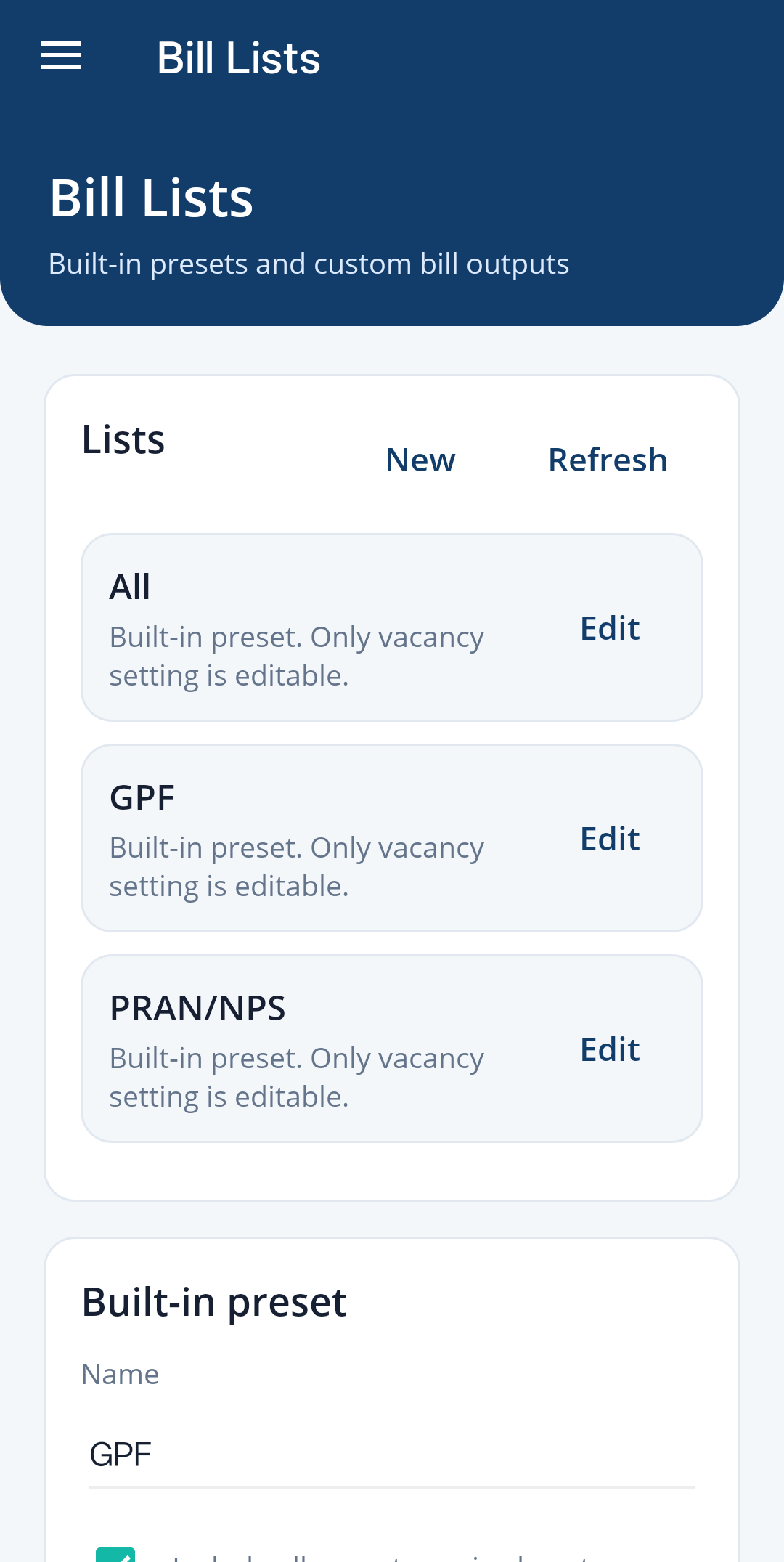
- group staff into bill lists
- maintain deductions and payroll values
- prepare forwarding letters
- check CL entries
- export reports
- print in the correct layout
The important question became: why should the same setup happen again and again on every phone?
That pushed me away from isolated buttons and toward a workspace around monthly school work. A teacher should not need to remember every configuration detail. The system should remember the stable parts, expose only the values that actually change, and generate the right output when the monthly workflow starts.
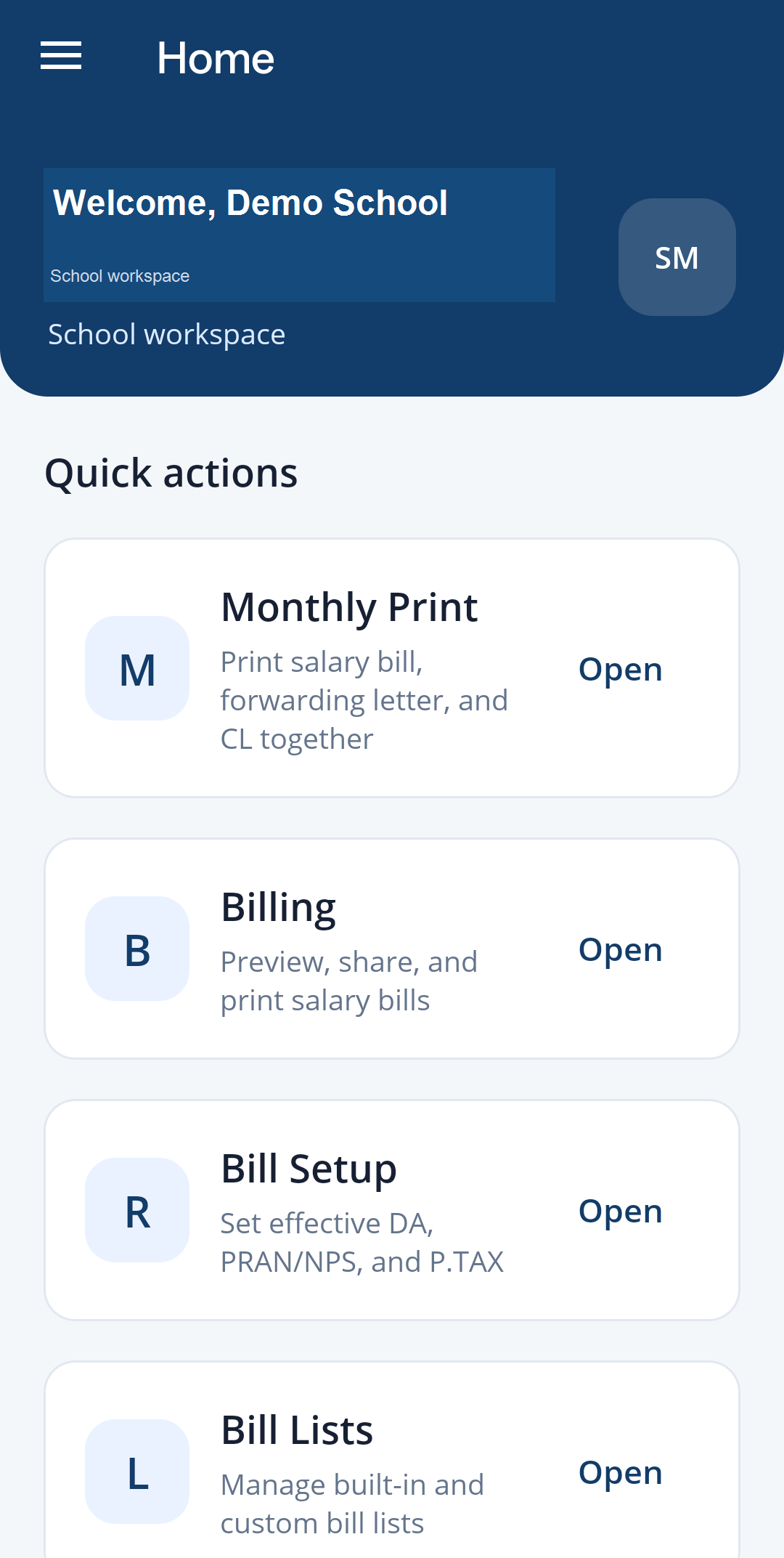
A home screen around repeated work
The app home screen is organized around tasks the school repeats:
- Billing
- Bill Setup
- Bill Lists
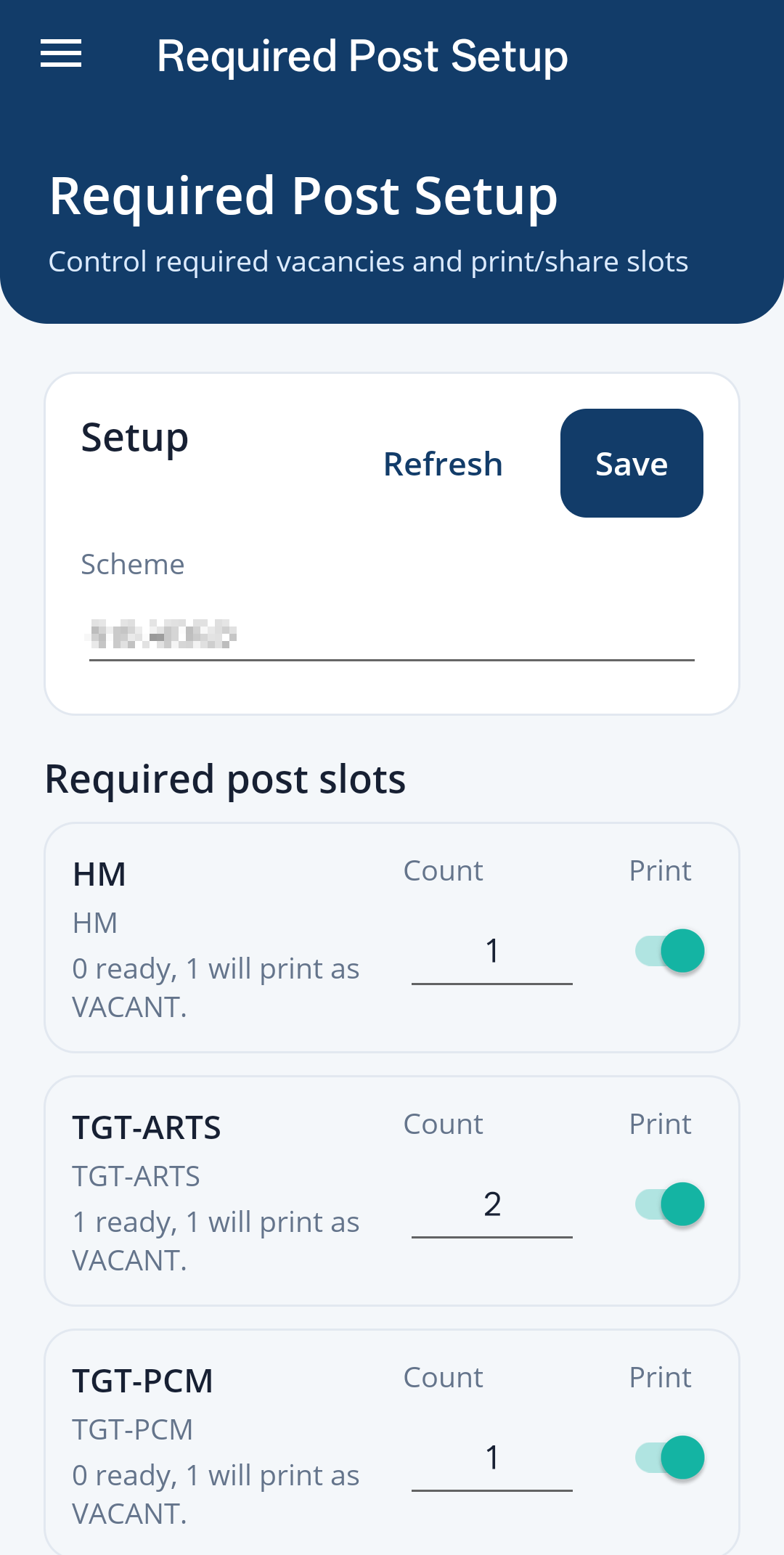
- Required Posts
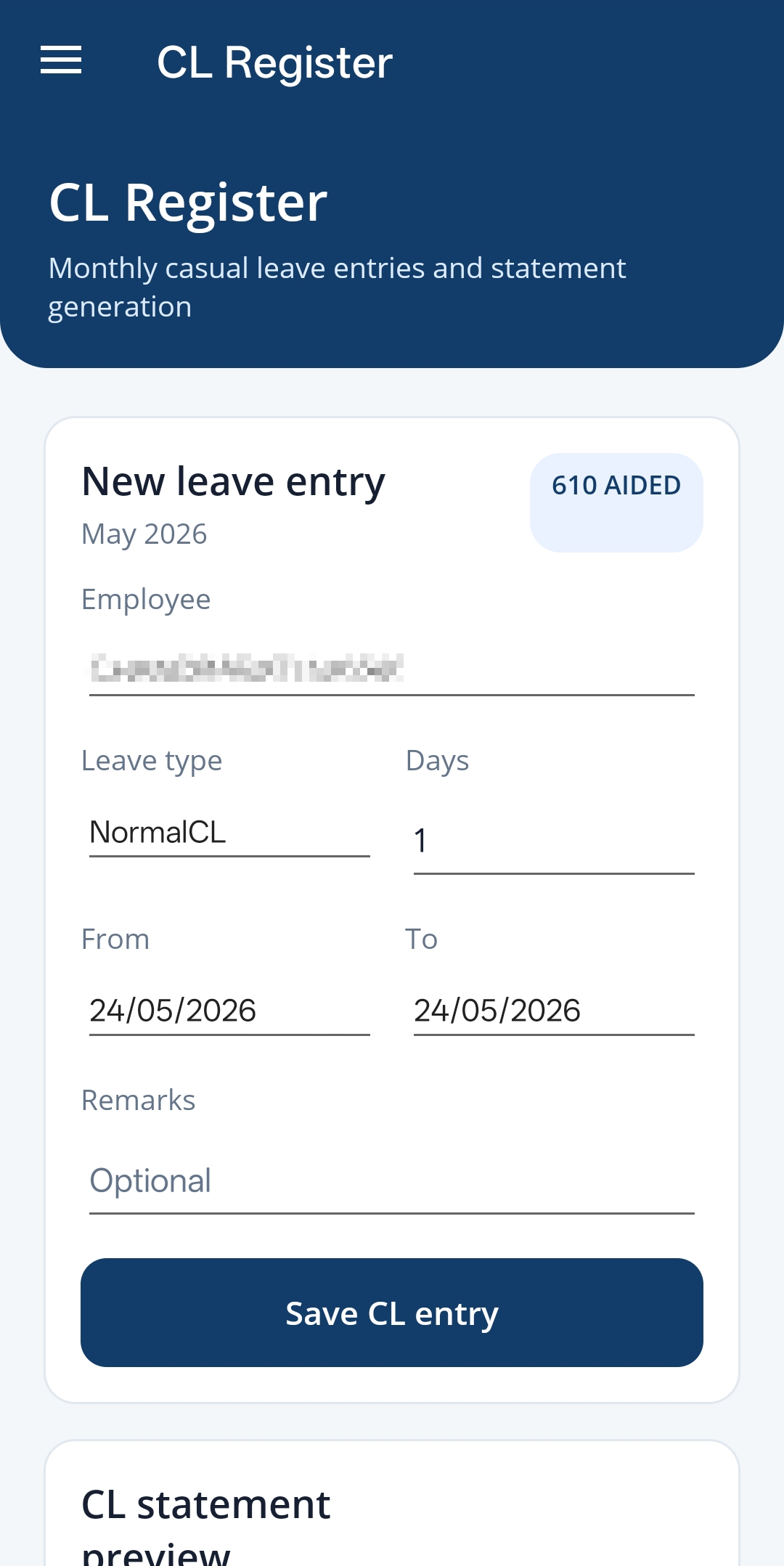
- CL Register
- CL Totals
- Letters
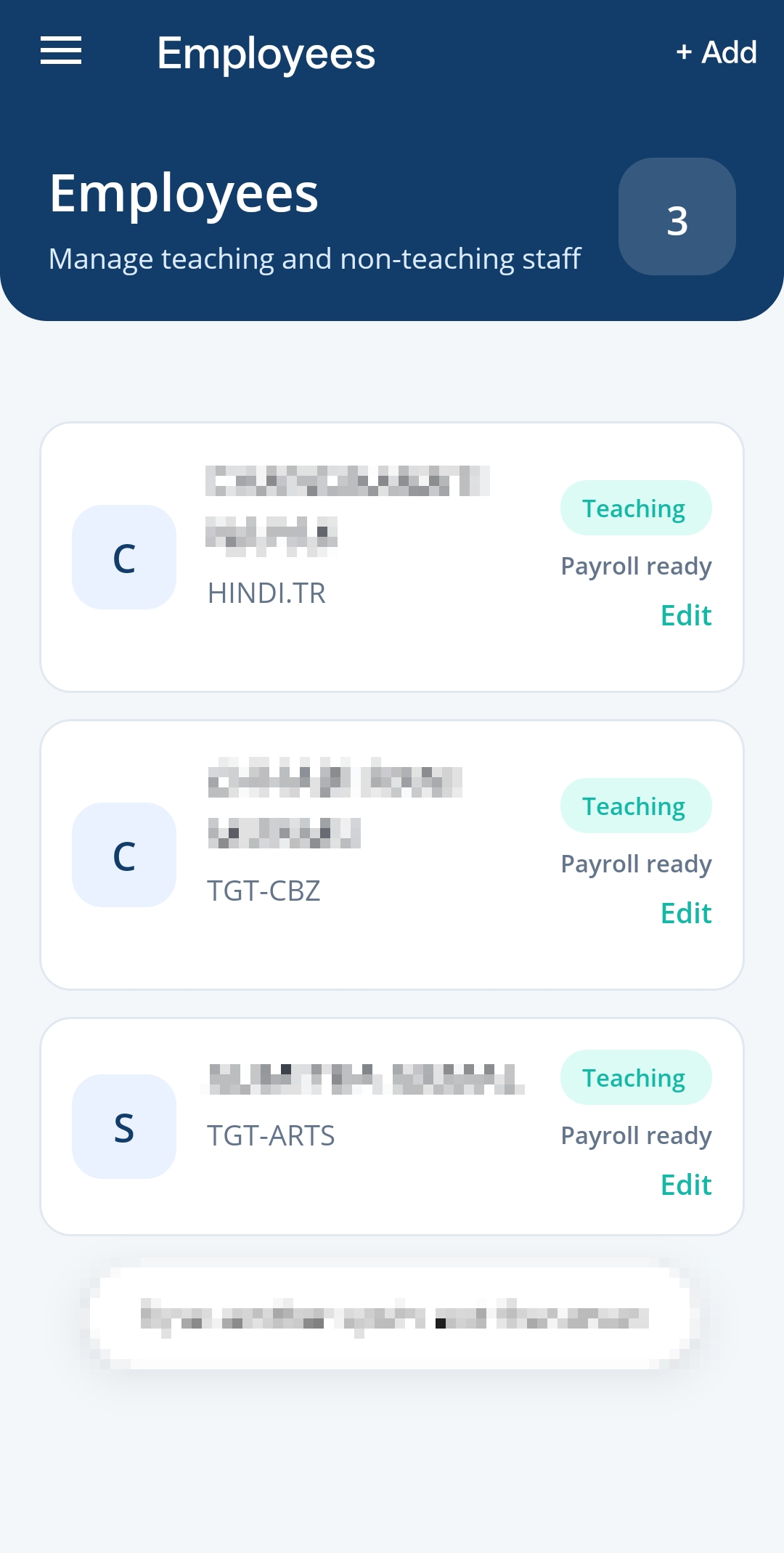
- Employees
- Report Setup
- Printers
- School Setup
- Settings
- Diagnostics
The goal is not to hide the complexity of school administration. The goal is to place that complexity in the right layer.
Teachers should get simple, direct actions. Administrators or support users should manage the configuration. The system should connect both without making every user handle every detail.
That is an important difference in workflow software.
Admin-managed parameters reduce friction
Many school workflows repeat every month, but they are not perfectly identical. A value changes, a report needs a different month, a DA number is updated, a deduction is adjusted, or a bill group changes.
If every teacher has to manage those parameters from a mobile app, the app creates a new problem instead of removing one. This becomes even harder when the users are senior teachers who are excellent at school work but not comfortable with repeated technical setup.
So the system treats admin-managed setup as the source of truth for:
- school details
- monthly payroll parameters
- DA and other numeric values
- bill groups and report lists
- report templates
- printer defaults
- assistant and automation settings
That lets the teacher experience stay small. In many cases, the monthly action should be close to: review, generate, print.
The architecture follows the same idea. Stable configuration lives in the backend and admin screens. The mobile app becomes a simple workflow surface over that setup.
Respecting existing formats
Schools already have trusted formats for bills, reports, letters, and print layouts.
Replacing everything with a new format would create adoption friction, so the system preserves familiar structures wherever possible:
- existing document styles
- recognizable reports
- expected print formats
- editable values where the user needs control
This made the app easier for my mother to trust.
In workflow modernization, the best product decision is sometimes not to change what users already understand.
Payroll became a structured monthly flow
Salary bills remained the foundation of the system.
The new version uses structured data instead of depending on manual spreadsheet edits:
- employee records
- salary values
- bill lists
- schemes
- deduction settings
- required post setup
- monthly payroll configuration
The practical benefit is fewer hidden mistakes. A copied row or broken formula should not decide whether a monthly bill is correct.
Employee records became the source of truth
Earlier, employee information lived across Excel files, older documents, or memory.
The app now keeps structured employee records for:
- staff details
- designations
- payroll information
- bill mappings
- service-related data
Once the employee record is correct, the rest of the workflow can reuse it.
That was the point where the app stopped feeling like a helper utility and started feeling like a real internal system.
CL register and recurring school records
Leave tracking became another structured module.
The app includes:
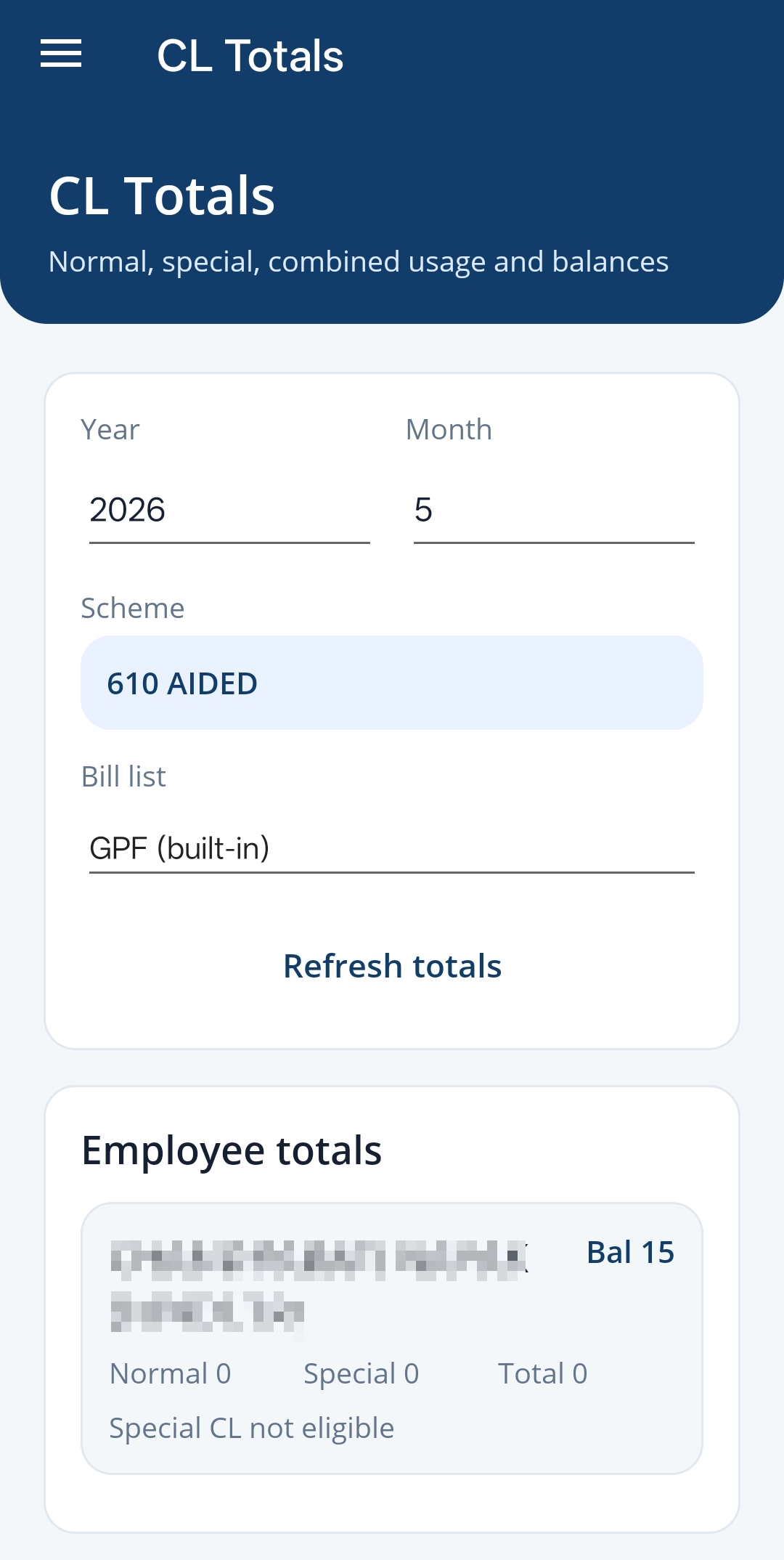
- monthly CL entry
- CL totals
- review screens
- report-ready summaries
This is not a flashy feature, but it is exactly the kind of thing that makes a workflow system valuable. Repeated calculations become easier to trust.
AI-assisted forwarding letters
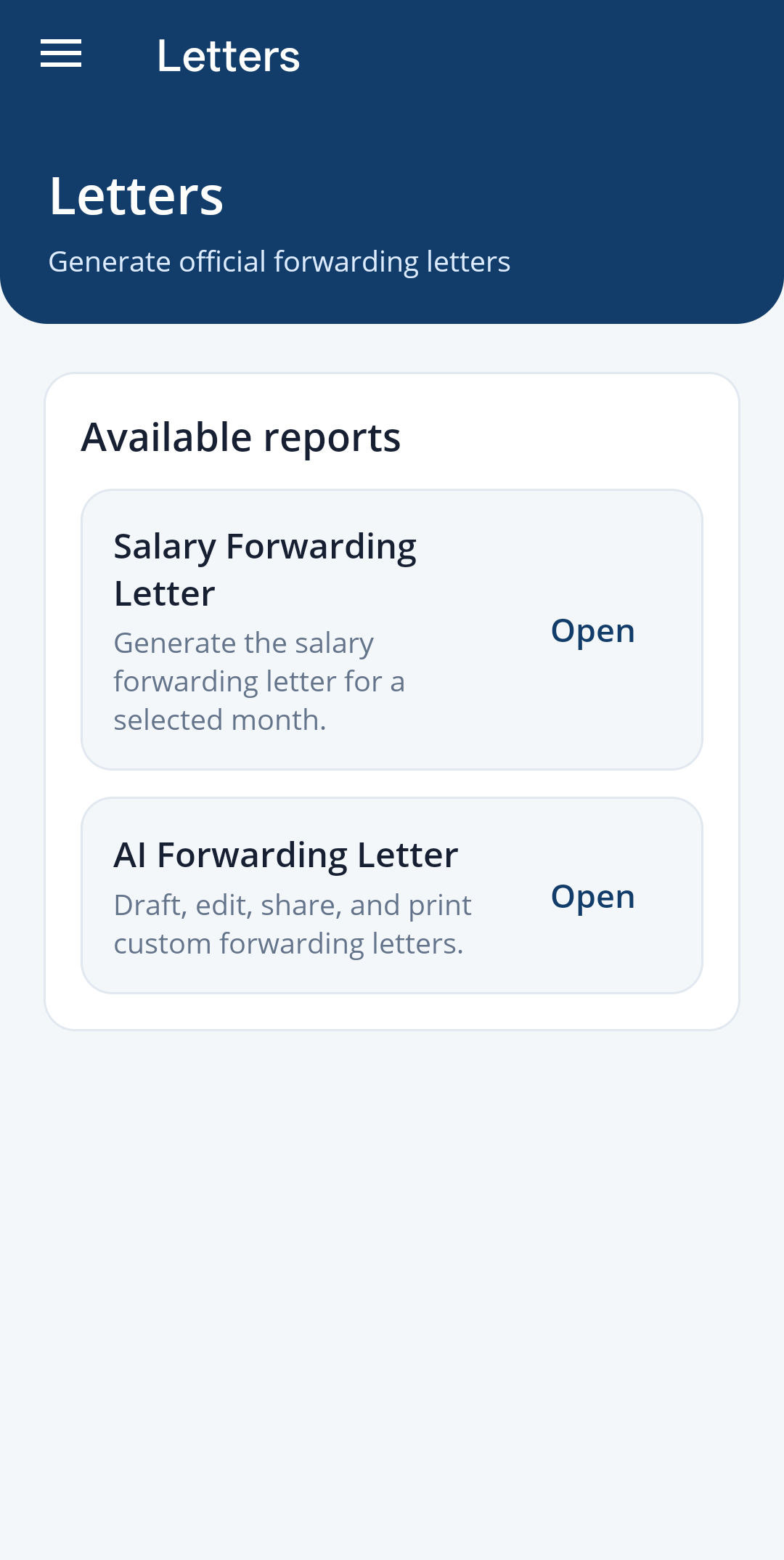
Forwarding letters became one of the most useful AI features in the app.
My mother can describe the request in simple language, and the app helps produce a formal English letter with:
- recipient
- subject
- salutation
- body
- enclosure details
- closing and signature structure
The important product decision was to keep AI inside the document workflow. The app knows the kind of document she needs, so the generated output is more useful than an open-ended chatbot response.
This is also where OCR and summarization fit naturally. A letter can be read, summarized, converted into a response, and printed from the same workflow.
Related: OCR and summarization with Ola Krutrim.
Voice as another entry point
Some users do not want another app flow, even if the app is simple.
That is why voice became interesting. I have seen senior users become comfortable with assistants like Alexa or Google Home because speaking feels more natural than navigating a mobile interface.
The voice layer is designed as another entry point into the same backend workflow:
- open the school assistant
- choose a report category
- generate monthly reports
- select bill groups
- start salary bill workflows
- trigger print or export actions
The direction is not only reactive voice commands. The more useful model is a proactive launcher that asks what needs to be done, guides the user through the next step, and then triggers the correct workflow.
For example, instead of expecting a perfect command, the assistant can ask whether the user wants salary reports, CL summaries, letters, or printing. That matters for real adoption.
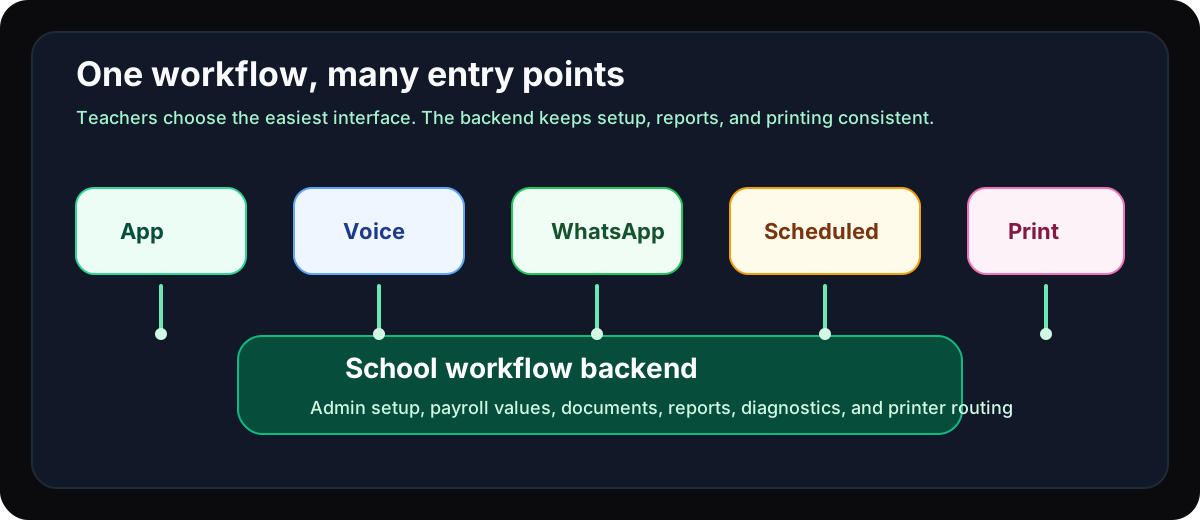
The important architecture point is that voice is not a separate product. It is another interface over the same backend workflows.
That makes the system more flexible without duplicating business logic.
Printing is part of the product
Schools still depend on printed documents.
So printing could not be an afterthought.
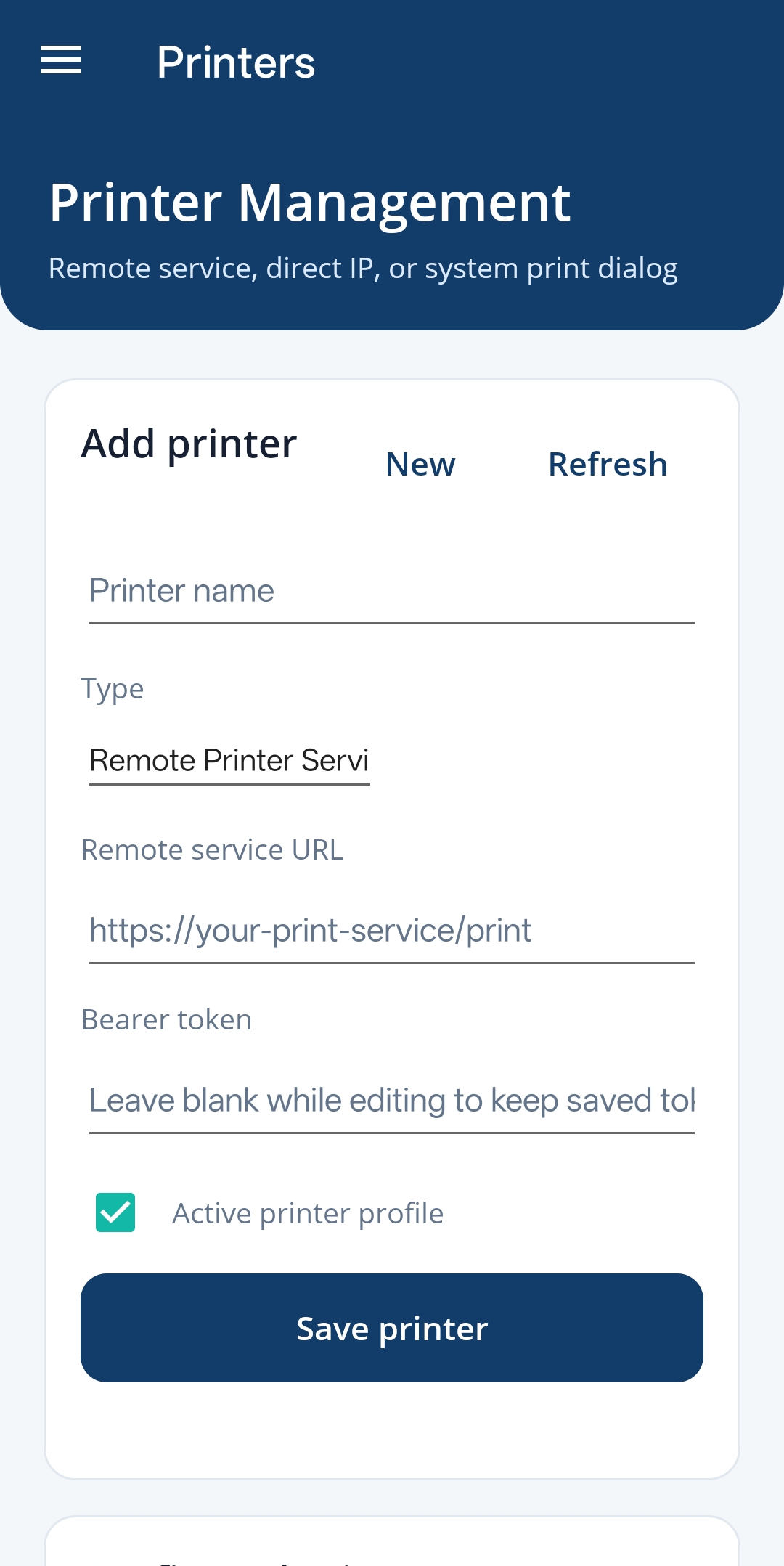
The app supports:
- printer setup
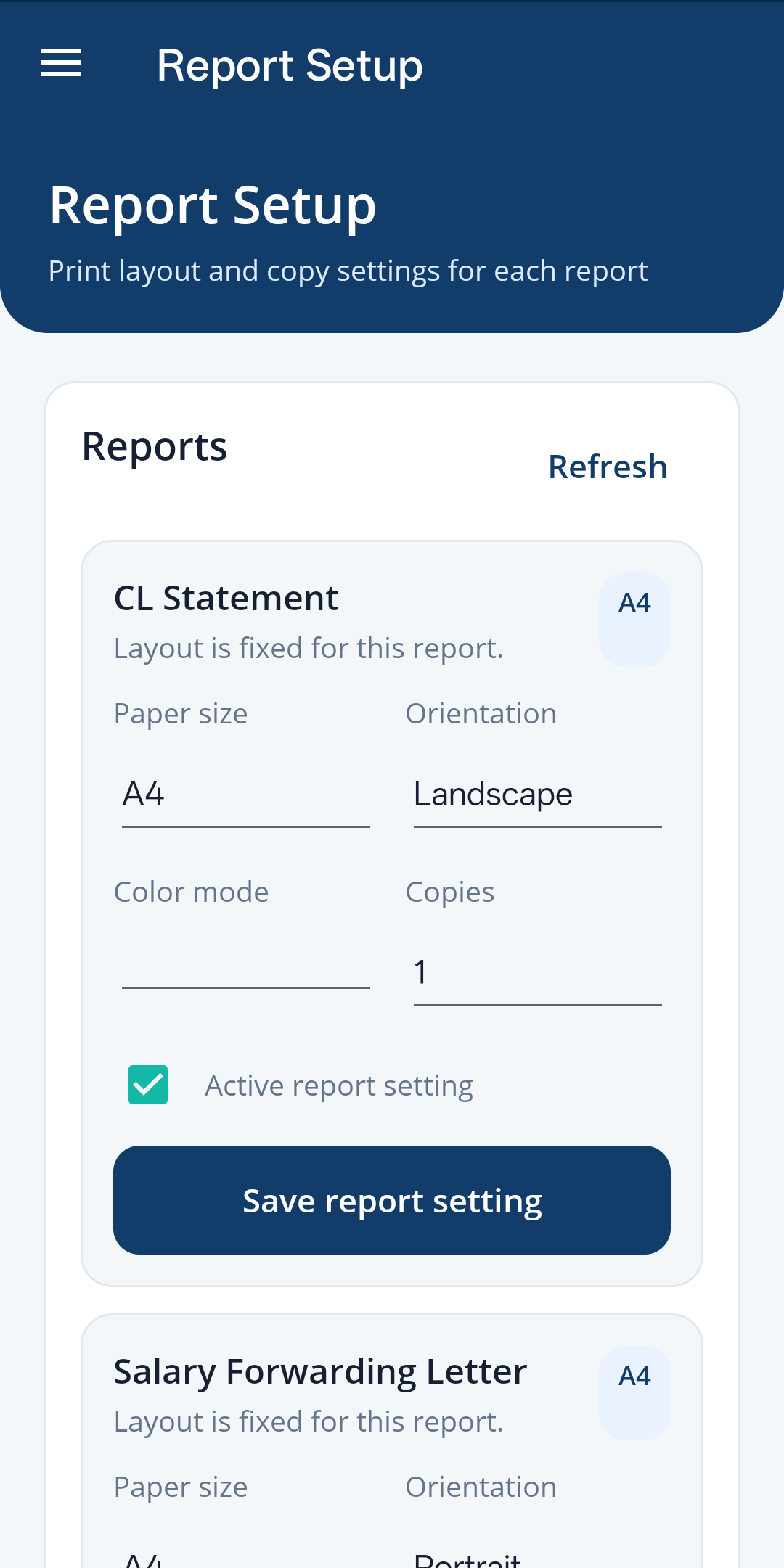
- report configuration
- generated PDF printing
- remote printer integration
- school-specific print defaults
Remote printing solves two practical problems.
First, senior teachers sometimes face issues with alignment, paper size, margins, orientation, or printer selection. Even when the report is correct, the final print can fail because the device settings are wrong.
Second, every school may need a slightly different default report setup. If those defaults are configured centrally, the user does not need to adjust them every month.
Behind the scenes, a Raspberry Pi with CUPS helps connect a normal school printer to the workflow. CUPS gives a controlled print layer where report defaults, printer selection, and output behavior can be standardized.
For cloud access, the printer bridge can be exposed through a secured tunnel such as ngrok, with authentication, controlled access, and provider-side edge protections. That does not remove the need for careful security, but it gives a practical way to connect a local printer to cloud-triggered workflows without asking teachers to manage networking.
That small infrastructure decision matters because it closes the loop from data entry to usable paper output.
Scheduled reports and managed support
The next step is to reduce interaction even further for workflows that are predictable.
Many reports are generated monthly. If the school setup, employee records, payroll parameters, and printer defaults are already correct, those reports can be scheduled. The school should be able to receive the right print-ready output at the expected time, with less manual work.
This also opens a managed-service model:
- our team manages school setup and configuration
- monthly parameters are reviewed and updated centrally
- scheduled reports are generated automatically
- schools can still use the app when they want direct control
- voice and messaging can trigger common workflows
- printing can happen through the configured remote printer
The roadmap also includes WhatsApp-based workflows. For many schools, WhatsApp is already part of daily operations. A WhatsApp bot can become a simple interface for report requests, status checks, and approvals, while the backend still handles the actual workflow.
The goal is choice, not another forced interface: app for users who like apps, voice for users who prefer speaking, WhatsApp for users who live in messaging, and scheduled generation for repeated monthly work.
Settings and diagnostics build trust
As the app grew, it needed the boring parts that make software dependable:
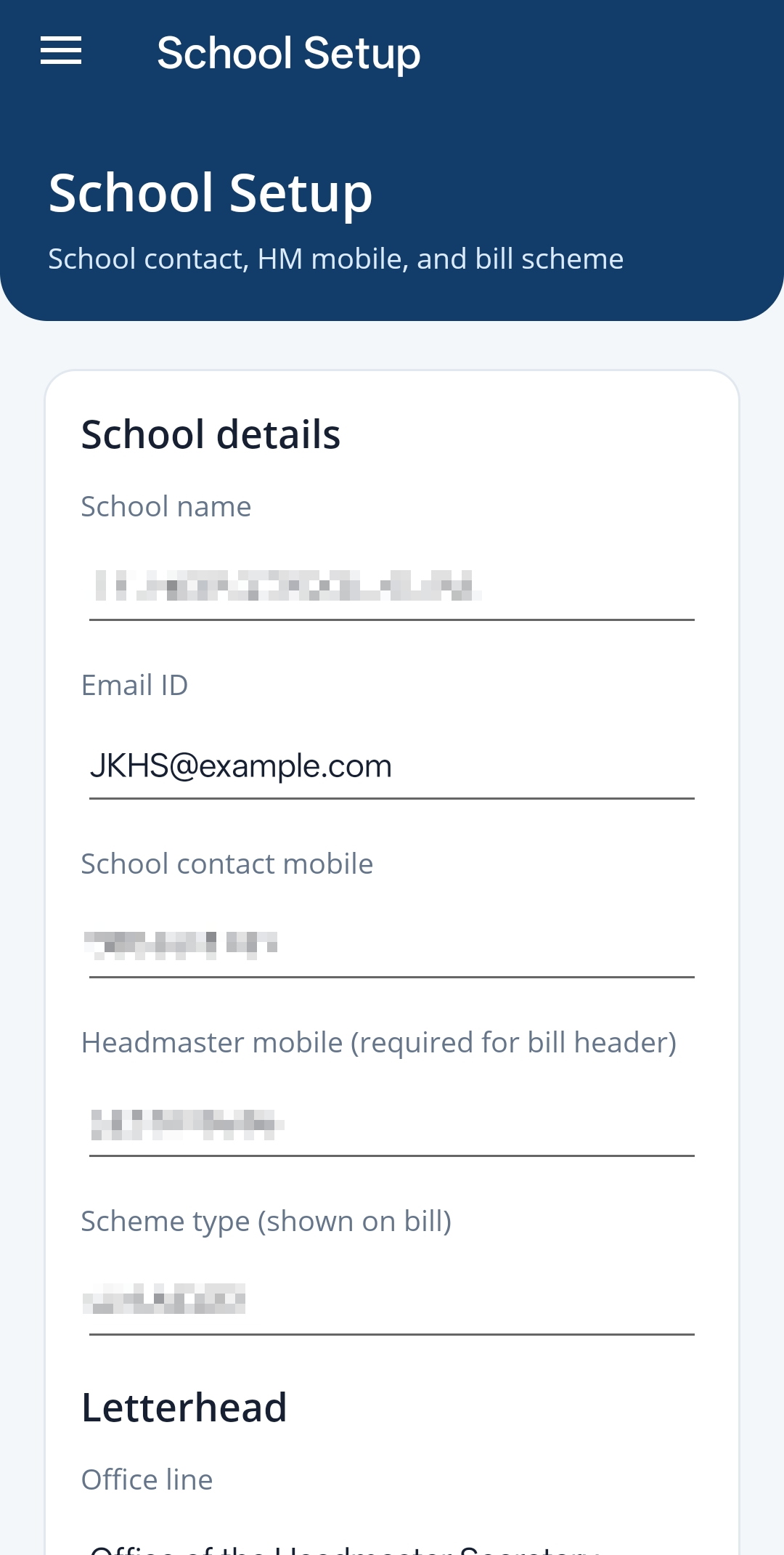
- school setup
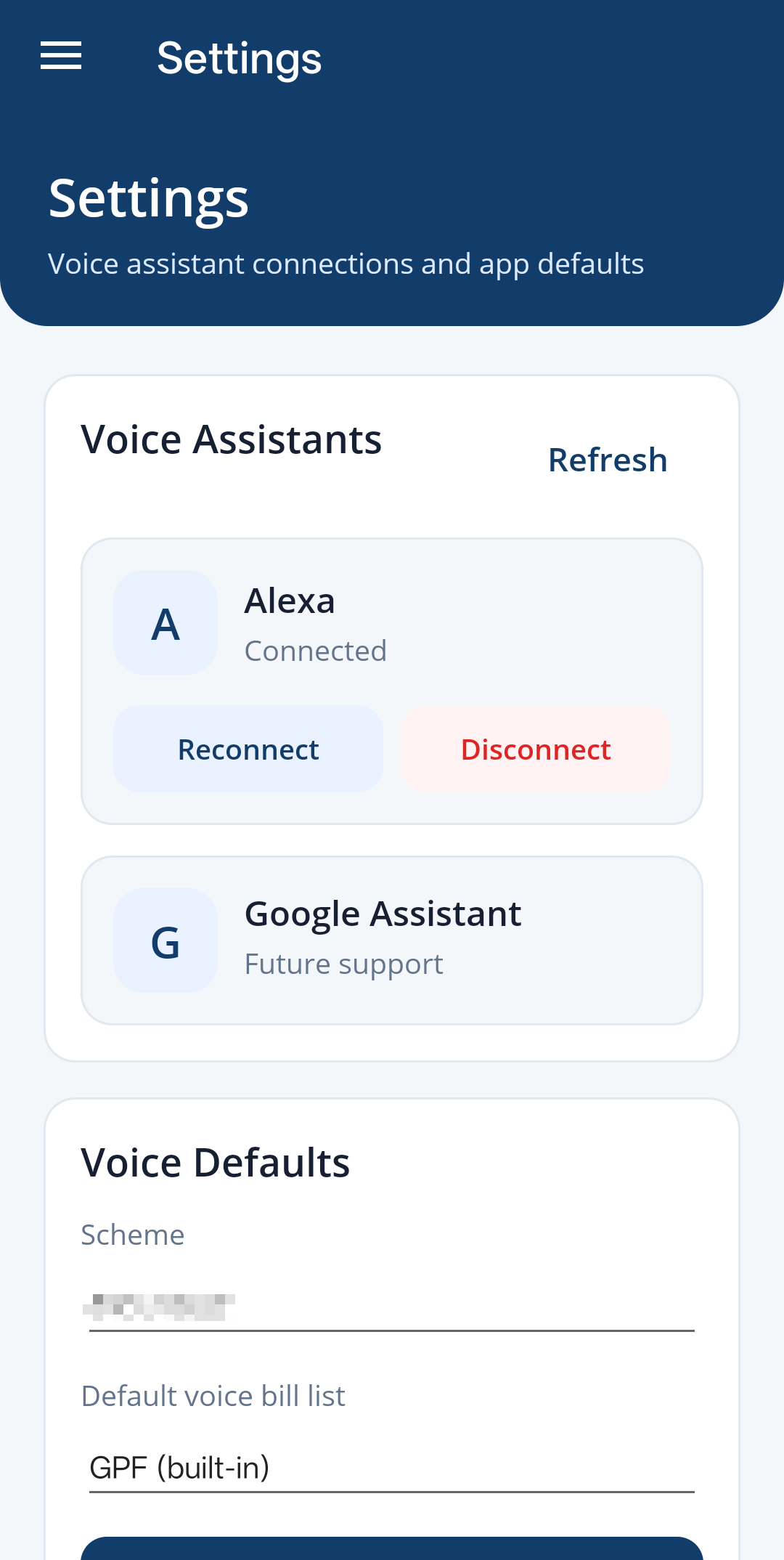
- app settings
- assistant configuration
- printer configuration
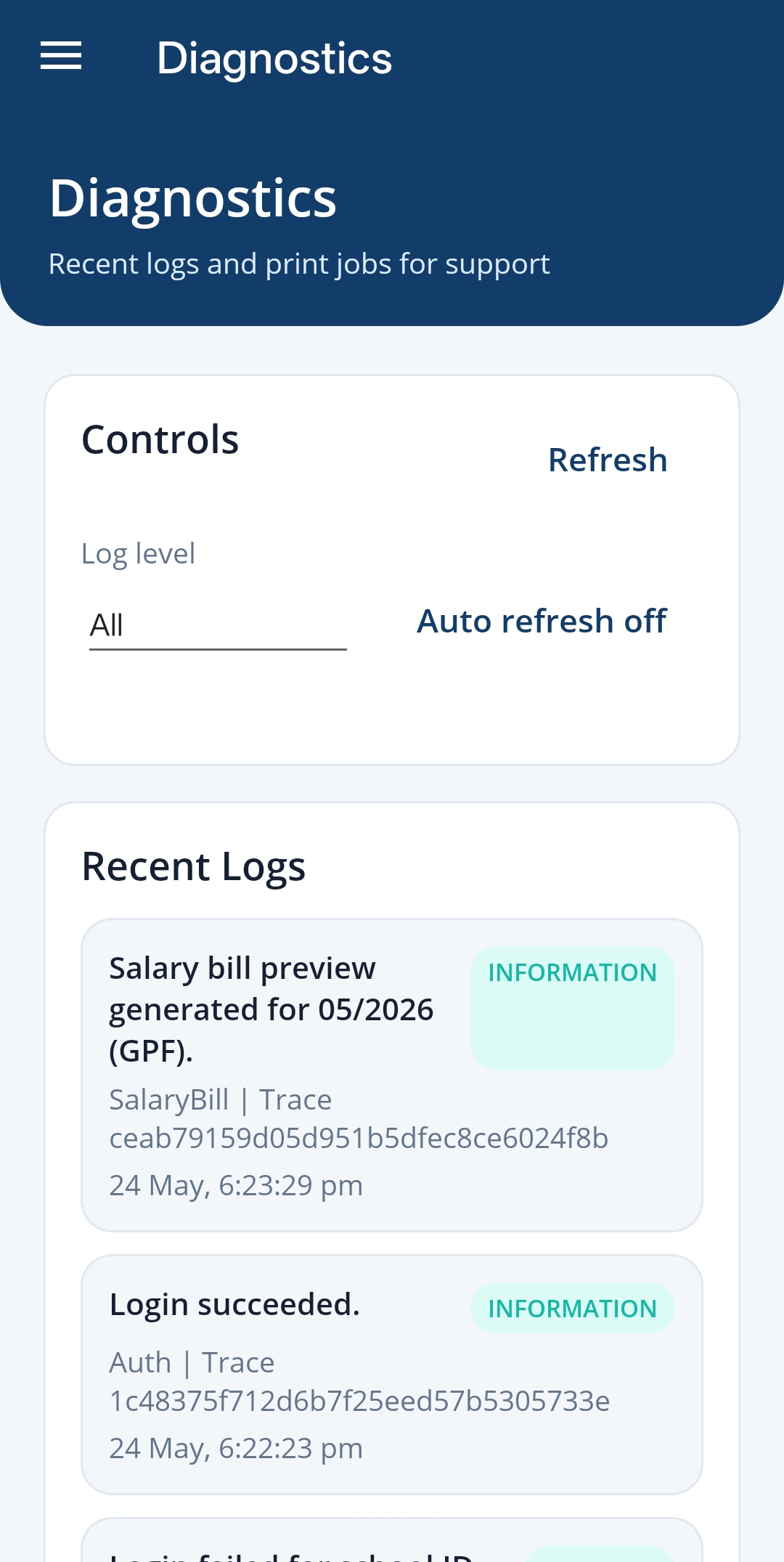
- diagnostics
- logging support
These screens are not exciting, but they reduce support friction.
My mother should not need to call me every time something feels uncertain. Diagnostics and clear setup screens make the system easier to maintain.
From one school to multi-school design
Once the workflow became clear, I realized the problem was not unique to one school.
Different schools may have different staff structures, bill formats, templates, and printer setups. But the underlying workflow patterns are similar.
That pushed the architecture toward multi-school support:
- separate school workspaces
- isolated configuration
- school-specific report settings
- independent employee records
- custom templates
- separate printing workflows
This changed the engineering mindset from "make it work for one user" to "make the workflow configurable without making the app confusing."
Technology behind the system
The system combines several layers:
- .NET backend services for APIs, automation, document generation, scheduled jobs, and voice workflows
- .NET MAUI for the mobile app
- Angular for admin and configuration screens
- Raspberry Pi and CUPS for remote printing
- secured tunnel access for controlled cloud-to-local printer workflows
- OCR and AI services for summarization, translation, and letter drafting
- diagnostics and logging for supportability
The technical challenge was not any single layer.
The challenge was connecting mobile UI, admin setup, backend automation, document generation, AI, voice commands, scheduled reports, messaging plans, and physical printer infrastructure into one reliable workflow.
That is why this project is important to me professionally. It is a real example of full-stack engineering around practical constraints.
What changed for my mother
Today the app helps her:
- generate salary bills with fewer manual edits
- maintain employee records
- track CL entries and totals
- create AI-assisted forwarding letters
- use voice workflows for common tasks
- print official documents with fewer setup issues
- rely on clearer settings and diagnostics
The biggest change is confidence.
She can complete more work without waiting for me to fix a spreadsheet, format a letter, or troubleshoot a printer.
That was the real success of the project.
Engineering takeaway
This project started with one person and one repeated problem. It grew because the workflow was real.
That is the lesson I keep coming back to:
Meaningful software often starts small, but it becomes valuable when it understands the whole workflow.
For me, this project connects personal motivation with the kind of engineering I want to be known for: full-stack systems, automation, AI where it helps, practical architecture, and software that makes real work easier.
Related: